Extract - Manual Layering
Manually select regions and separate art/text layers for stronger control in AI extraction.
This guide introduces Extract - Manual Layering, a workflow focused on stronger human control during AI-assisted extraction.
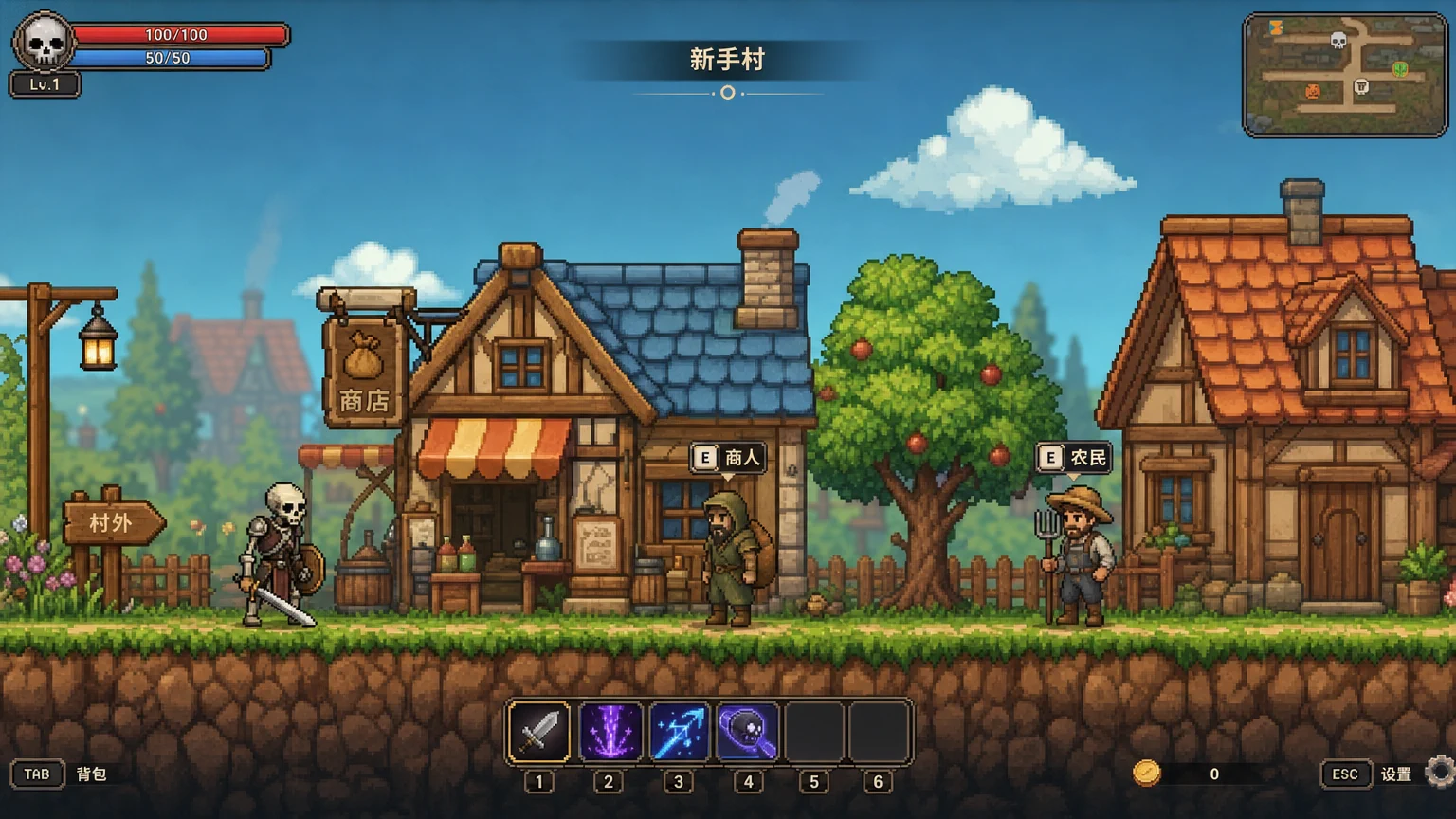
Step 1: Manually select the full art region
Select the complete area that contains the target art elements. Manual selection gives you finer alignment against AI auto-extraction and reduces unwanted region drift.
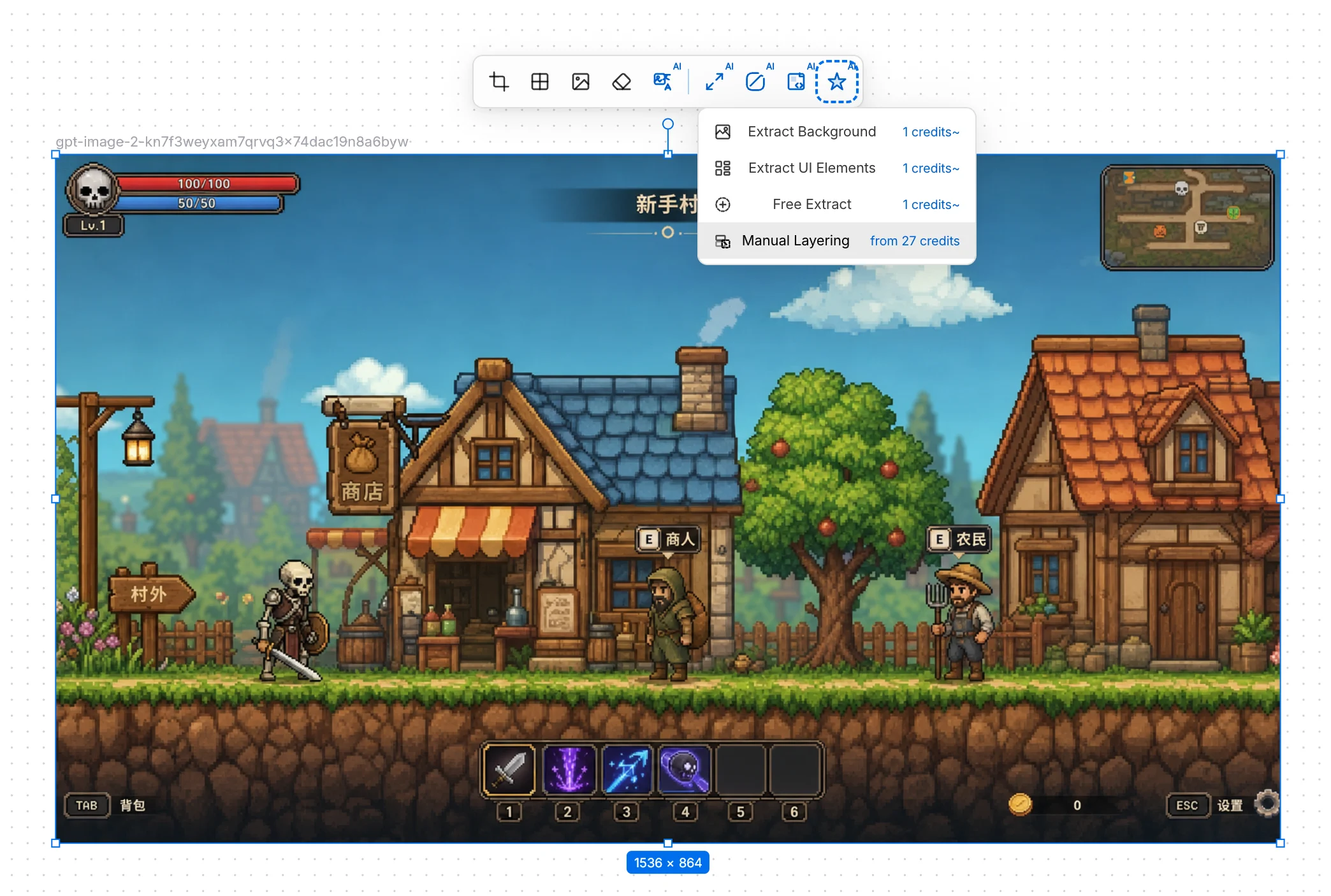
Step 2: Manually separate art layers and text layers
Explicitly label which layers are visual art and which are text. This separation allows deeper influence on art-layer attributes, enabling stronger intervention in later processing.
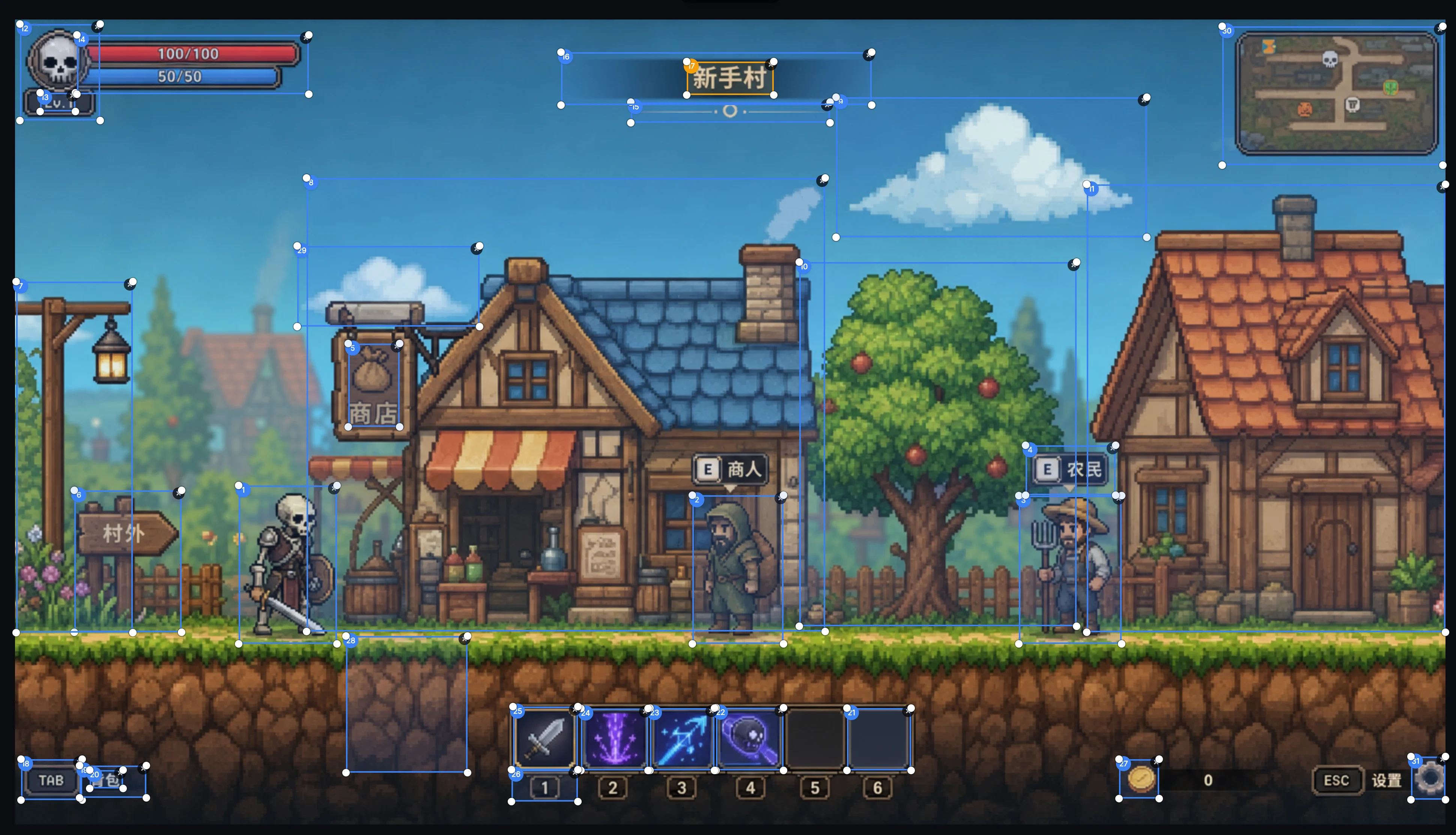
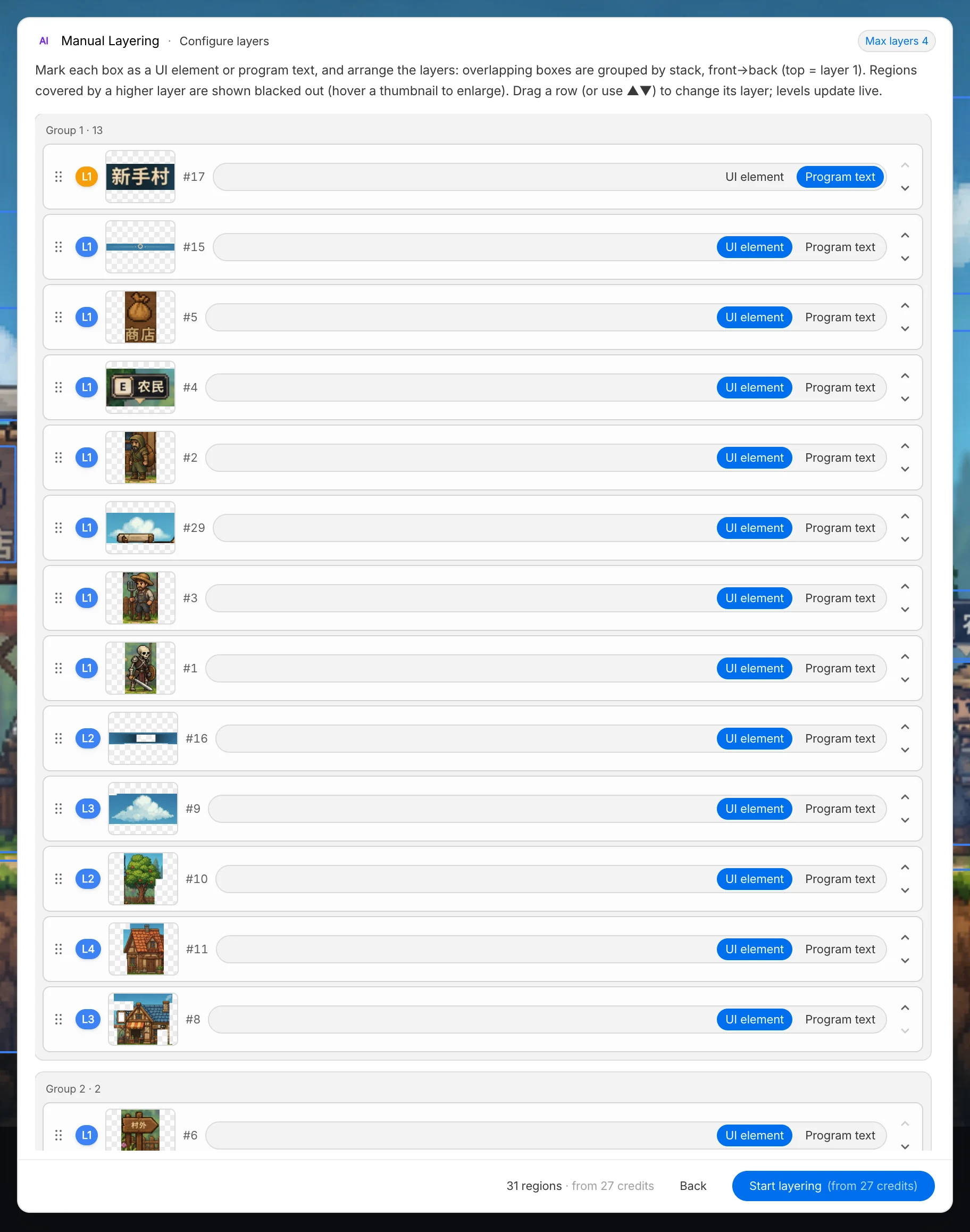
Step 3: Generate the processed result
Run generation after manual layering is confirmed. The output reflects your boundary decisions and layer typing rules.
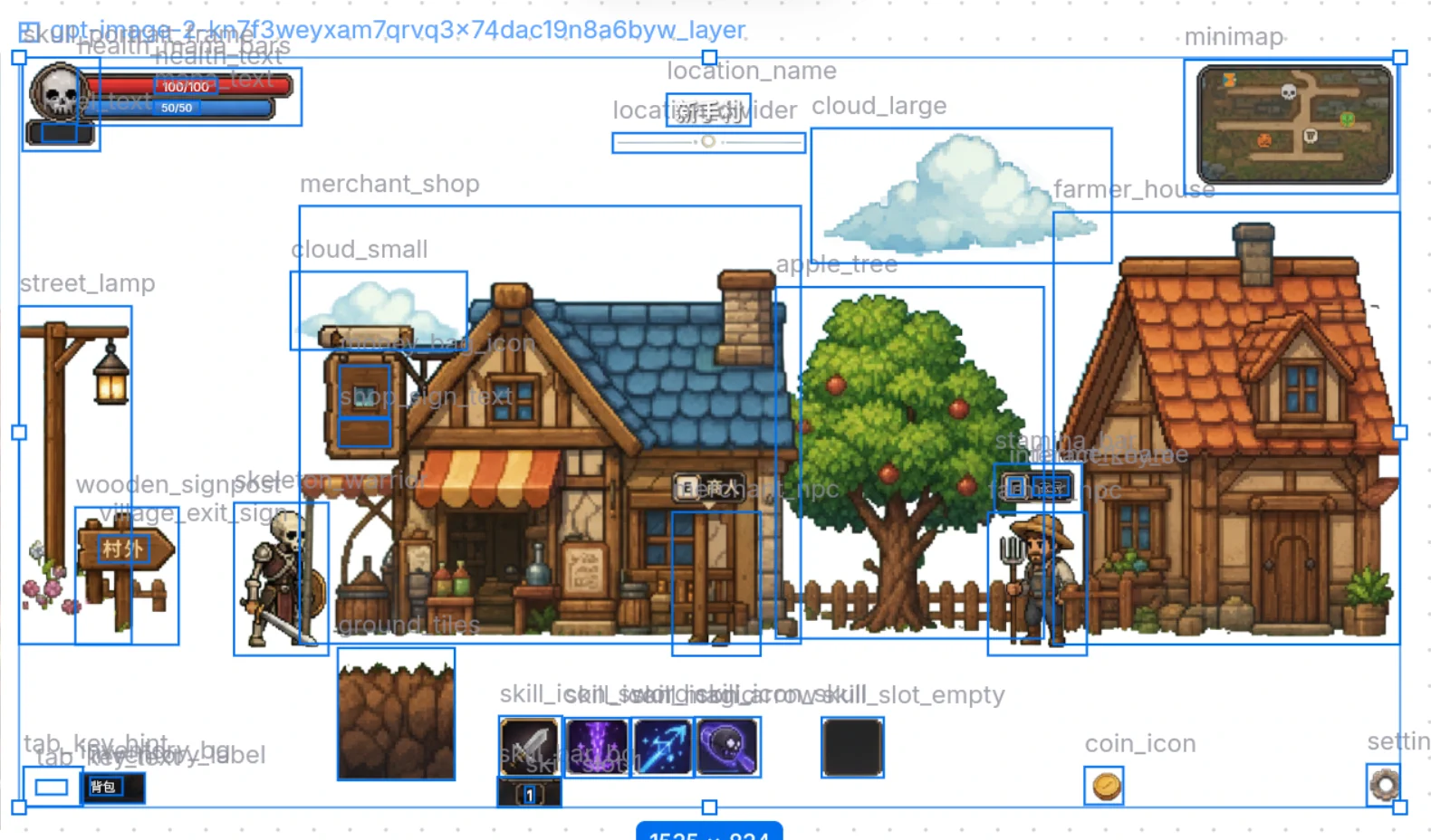
Manual processing is powerful for strict boundary control, but it can still encounter additional processing boundaries in complex scenes.
After processing, all output images are automatically assigned meaningful names that map clearly to each visual result, which makes later retrieval and asset management easier.